
You can access your full account/loan number using Online Banking in your Account History.
Note: For instructions on how to find your full account/loan number using the mobile banking app* please click here.
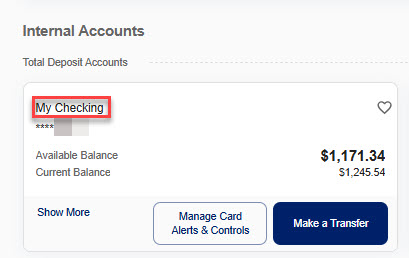
Step1: Click on the account/loan name listed under Internal Accounts located on the Home tab.
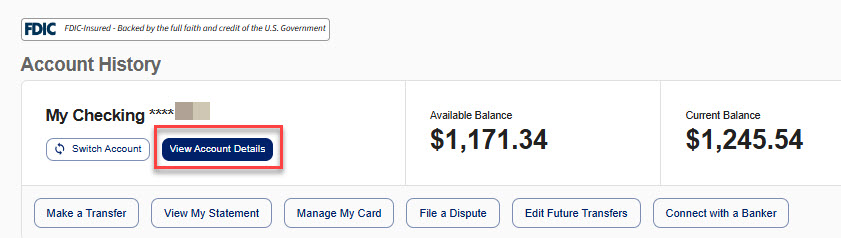
Step 2: Click on the View Account Details link.
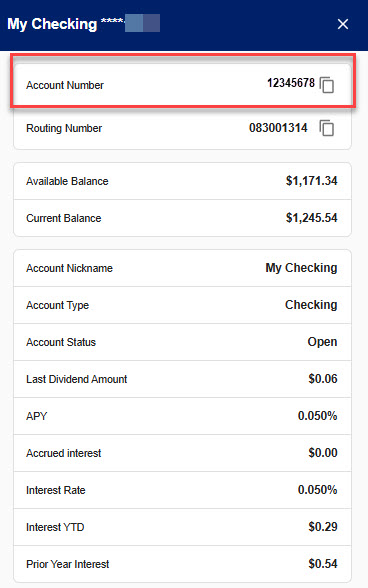
Step 3: Account Details will display in slide out on the right side of your screen. Account number will be listed at the top.
*Message and data rates may apply from your wireless carrier.
Can't find what you're looking for? Contact us.